UNITED STATES—Photos and videos capture memories that matter and keeping them safe is important. Photosticks are devices designed to backup and organize your digital pictures and videos quickly. They provide an easy way to transfer files from phones, cameras, or computers without needing internet access or complicated software.
Unlike regular USB drives, photosticks often come with built-in software that automatically finds your media files and copies them to the device. This saves time and effort by avoiding manual searching and sorting. Because of this, photosticks are popular with people who want a simple, reliable way to store their memories.
When choosing a photostick, key things to look at include compatibility with your devices, storage capacity, and file transfer speed. Some photosticks also offer extra features like password protection or cloud backup options. I tested several photosticks to find the ones that work well and are easy to use.
Best PhotoSticks
- ThePhotoStick Omni 32GB
- PhotoStick Omni 128GB
- PL ZMPWLQ Photo Stick 128GB
- BLANBOK+ 128GB Photo Stick
- AOIRHLA 512GB Photo Stick
I have tested many PhotoSticks to find the ones that work best for saving and organizing photos quickly. The options below offer great reliability and ease of use for both beginners and experienced users. This list will help you choose the right PhotoStick for your needs.
1. ThePhotoStick Omni 32GB
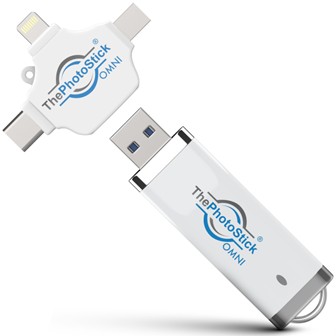
This stick is handy for backing up photos across different devices but needs some patience to get working.
Pros
- Works with many devices like iPhones, Androids, Macs, and PCs
- Holds a large number of photos and videos (over 12,000)
- Simple process once the app is set up
Cons
- Requires downloading an app to use, not just plug and play
- Can be tricky to connect on some phones or computers
- Some privacy concerns due to cloud syncing settings
I tried ThePhotoStick Omni to free up space on my phone. It was nice that it connects to almost any device I own. I liked how it automatically finds and saves pictures without me picking them one by one.
Installing the app took a bit of time and wasn’t as straightforward as I hoped, especially on my laptop. After a couple of tries, I got it up and running, but not everyone might want this extra step.
The storage size is good for most of my pictures and videos, but I noticed it tries to upload photos to cloud services, which I had to disable to keep my files private. Overall, it does the job if you don’t mind a bit of setup.
2. PhotoStick Omni 128GB
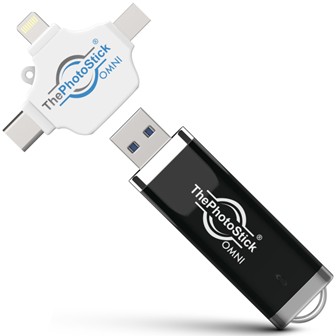
This PhotoStick is good for anyone who wants a simple way to back up photos on different devices but can struggle with app glitches.
Pros
- Works with many devices like iPhones, Androids, and computers
- Automatically organizes photos for easy finding
- Large storage lets me back up lots of pictures and videos
Cons
- App can be slow or freeze sometimes
- Not the fastest backup speed I’ve seen
- Support and instructions could be better
When I used the PhotoStick Omni, I liked that it connected to my laptop and phone without needing different tools. The auto-sorting saved me time since all my photos were grouped nicely without extra effort.
Backing up a large photo library was simple, and the storage felt plenty big for my needs. The setup was mostly easy, but occasionally the software froze, which was frustrating when I wanted a quick backup.
It works well across devices but needs a more stable app experience to feel truly reliable. If you’re okay with a few hiccups, it’s a solid choice for keeping your photos safe and sorted.
3. PL ZMPWLQ Photo Stick 128GB
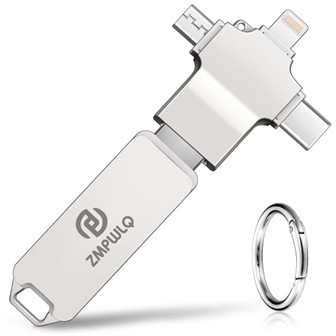
This photo stick is a solid choice for easy backups across all your devices thanks to its multiple connectors and automatic backup feature.
Pros
- Works with iPhone, Android, PC, and Mac without extra adapters
- Automatically backs up new photos and contacts, avoiding duplicates
- Simple to use with the iStore Pro app and no cables needed
Cons
- Initial backup can take a while if you have many files
- Transfer speed is okay but not very fast
- Some users report problems backing up videos on Android
I tested this photo stick with both my iPhone and Windows laptop. Plugging it in was smooth and the automatic backup worked as promised. It saved me time by skipping already backed-up files, so I didn’t have to manage duplicates manually.
The four connectors made switching devices easy, which I liked a lot. I could move photos from my iPhone to my PC without fuss. The free iStore Pro app helped guide me through the backup process, although it took a bit longer when backing up lots of photos at once.
The speed isn’t the fastest I’ve seen, and if you want quick transfers of large video files, it might feel slow. Also, some of my Android-using friends mentioned similar issues with video backups. Still, durability and ease of use make it a convenient option for regular photo backups.
4. BLANBOK+ 128GB Photo Stick
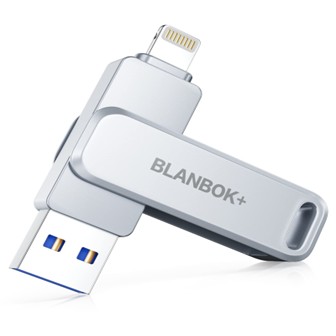
This photo stick is a solid choice if you want an easy way to back up your phone photos and free up space without dealing with cables or cloud storage.
Pros
- Works smoothly with iPhone, Android, and PC
- Sturdy metal build feels durable and secure
- Quick one-click backup through the app
Cons
- Backup speed can be slow on large transfers
- Requires an app on iPhone which takes time to get used to
- The keychain design is handy but adds slight bulk
I’ve found this flash drive handy to carry since it has connectors for USB, Lightning, and Type C, which means I could swap data among my devices easily. The metal case gave me confidence that it would handle daily wear and tear without problems.
Backup was simple—just one click in the app to save my photos and contacts. However, transferring a large number of files sometimes took a while, and my phone battery drained faster than I expected during long backups.
Using it with my iPhone needed some patience at first because of the app, but once I got the hang of it, I liked how it freed up space quickly. Overall, this photo stick does what it promises without fuss and keeps my data safe.
5. AOIRHLA 512GB Photo Stick
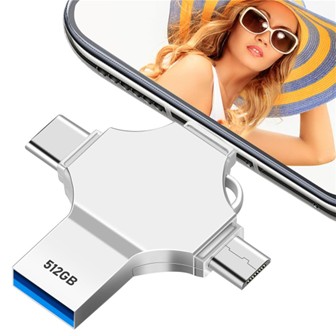
This flash drive is a solid choice if you want a large, fast, and flexible way to back up photos and files from different devices.
Pros
- Huge 512GB storage holds lots of files easily
- Works with USB-A, USB-C, Micro USB, and Lightning ports
- Password and fingerprint encryption keep data safe
Cons
- Setting up on Android can be tricky without clear instructions
- Some users say it stopped working after a few months
- Backup app is needed for iOS and may confuse new users
I found the AOIRHLA Photo Stick useful when moving files between my phone and laptop. The 4-in-1 interface meant I didn’t have to carry separate drives for different devices, which saved me time.
The backup function worked well for quick one-click copies, letting me store photos directly and free up space on my phone. It held a lot of files without slowing down thanks to its high-speed transfer rates.
On the downside, the drive’s app wasn’t very clear with instructions, especially on Android. If you are not tech-savvy, it might take some trial and error to get it working smoothly. Also, I would be cautious about long-term reliability since a few users reported problems after months of use.
Buying Guide
When I look for the best photostick, I first check the storage capacity. It’s important to pick one that can hold all your photos and videos. Think about how many files you want to save now and in the future.
Next, I focus on compatibility. Make sure the photostick works with your devices, like your phone, tablet, or computer. Some only work with specific types, such as Android or iPhone.
I also pay attention to the speed of the photostick. A faster device saves time when backing up or transferring files. This is useful if you have many photos to move at once.
Ease of use is a big factor for me. I want a photostick that is simple to use, often with one button or automatic backup. This makes saving memories quick and hassle-free.
Below is a small table that helps me remember key features to compare:
| Feature | Why It Matters |
| Storage Size | Enough space for photos and videos |
| Compatibility | Works with your devices |
| Speed | Faster file transfers |
| Ease of Use | Simple and quick backups |
| Backup Features | Automatic or manual options |
I always check the backup options too. Some photosticks automatically find and save all your pictures. Others need you to select files manually.
Price is a factor but not the most important. I focus on getting a photostick that fits my needs and works well. Spending a bit more for better features is usually worth it.
Frequently Asked Questions
Many photo sticks vary by device compatibility, backup speed, and storage capacity. Choosing the right one depends on your specific needs, like how you plan to use it with phones or computers.
What are the top-rated photo sticks currently available for Android devices?
I found that the SanDisk Ultra Dual Drive and the PhotoStick Mobile are popular for Android. They offer fast transfer speeds and easy plug-and-play functions.
Which photo sticks are recommended for iPhone users by leading consumer reports?
For iPhone, I see that the PhotoStick Mobile and iDiskk are often recommended. They support iOS devices well and include apps to manage files simply.
How does the Photostick Omni compare to other photo backup solutions?
The Photostick Omni supports multiple platforms, including Windows, Mac, Android, and iOS. It offers automatic backup and has higher storage options than many competitors.
What critical factors should be considered when choosing a photo stick for both iPhone and computer use?
I think it’s important to check compatibility with both iOS and your computer’s operating system. Also, look at storage size, transfer speeds, and whether the device includes backup software.
Are there specific photo sticks that are particularly well-suited for newer iPhone models?
Yes, sticks with a Lightning or USB-C connector work best for newer iPhones. The PhotoStick Mobile for iPhone is updated to fit these models and supports the latest iOS versions.
Can you highlight the main distinctions between photo sticks and standard flash drives?
Photo sticks usually come with software that automatically finds and backs up pictures and videos. Standard flash drives often lack this feature and require manual file management.